Core Objects
- - Circle, Square, Rectangle, Line, Arrow, Dot, Polygon, RegularPolygon
- - Text, Tex, MathTex
- - ImageMobject, SVGMobject
- - Group and VGroup
Runnable examples for the currently supported feature set. Previews are lazy and only compile when you click Render preview, so opening this page does not trigger a flood of compile requests.
Demonstrate Write animation on Text.
scene = Scene(fps=30, width=640, height=360)hello = Text("Hello, Manim!", font_size=48)scene.play(Write(hello), run_time=2)scene.wait(1)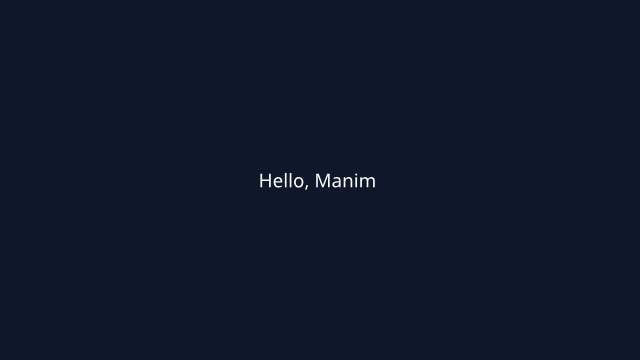
Render `Code` and `Table` side by side to probe text fitting and layout stability.
scene = Scene(fps=30, width=960, height=540, backgroundColor="#0f172a") code = Code("total = 0\nfor value in range(4):\n total += value")table = Table([ ["Metric", "Value"], ["Frames", "120"], ["FPS", "30"], ["Status", "Ready"],]) code.to_edge(LEFT, buff=0.8)table.to_edge(RIGHT, buff=0.8)title = Text("Text-backed layout objects", font_size=34, color=WHITE).to_edge(UP) scene.play(FadeIn(title), FadeIn(code), FadeIn(table), run_time=1.2)scene.wait(0.8)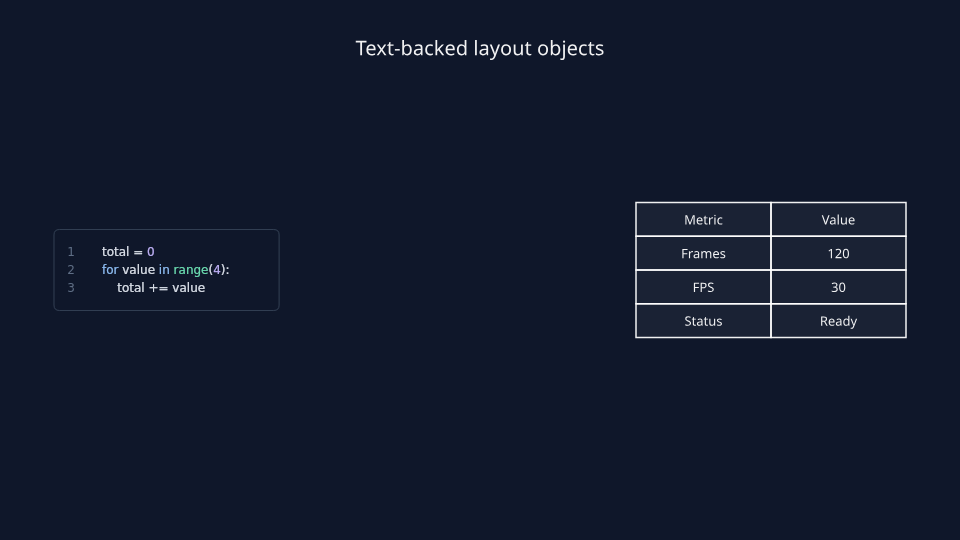
Show font family, font size, color, bold, italic, line spacing, and other Text style kwargs.
scene = Scene(width=960, height=540, backgroundColor="#111827") headline = Text( "Styled headline", font="DejaVu Sans", font_size=40, color=YELLOW, weight=BOLD,)accent = Text( "Italic annotation", font="DejaVu Sans", font_size=28, color=BLUE_B, slant=ITALIC,)body = Text( "Left aligned body\nwith extra spacing\nand explicit kwargs", font="DejaVu Sans", font_size=24, color=GREY_B, alignment="left", line_spacing=1.25, should_center=False, disable_ligatures=True, use_svg_cache=True,) stack = VGroup(headline, accent, body).arrange(DOWN, aligned_edge=LEFT, buff=0.24)scene.add(stack)scene.wait(0.8)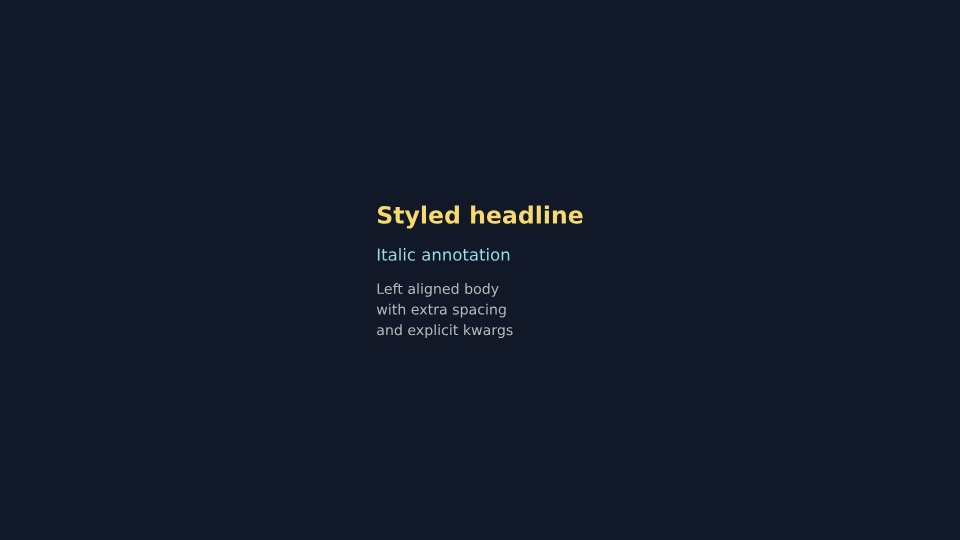
Compare multiline Text blocks with left, center, and right alignment.
scene = Scene(width=960, height=540, backgroundColor="#0f172a") left = Text( "Left aligned\nparagraph with\nshared margin", font_size=28, alignment="left", color=WHITE,)center = Text( "Centered\nparagraph keeps\nits middle", font_size=28, alignment="center", color=WHITE,)right = Text( "Right aligned\nparagraph with\na clean edge", font_size=28, alignment="right", color=WHITE,) left_box = BackgroundRectangle(left, buff=0.22, color=BLUE_D)center_box = BackgroundRectangle(center, buff=0.22, color=GREEN_D)right_box = BackgroundRectangle(right, buff=0.22, color=YELLOW_D) left_tag = Text("LEFT", font_size=18, color=BLUE_B).next_to(left_box, UP, buff=0.18)center_tag = Text("CENTER", font_size=18, color=GREEN_B).next_to(center_box, UP, buff=0.18)right_tag = Text("RIGHT", font_size=18, color=YELLOW_B).next_to(right_box, UP, buff=0.18) left_card = VGroup(left_tag, left_box, left)center_card = VGroup(center_tag, center_box, center)right_card = VGroup(right_tag, right_box, right) cards = VGroup(left_card, center_card, right_card).arrange(RIGHT, buff=0.6, aligned_edge=UP) scene.add(cards)scene.wait(0.8)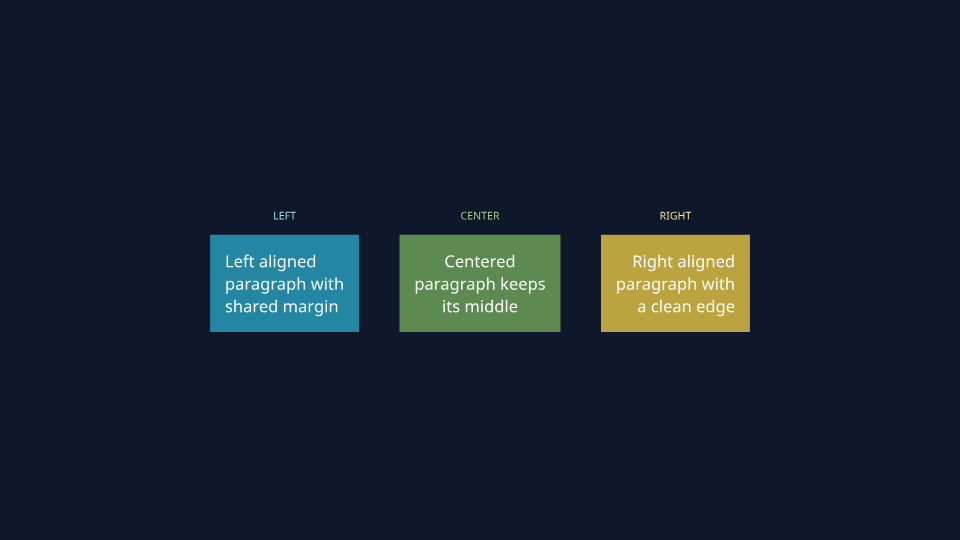
Arrange multiple Text objects in groups with left, center, and right edge alignment.
scene = Scene(width=960, height=540, backgroundColor="#020617") left_items = VGroup( Text("short", font_size=26, color=WHITE), Text("medium label", font_size=26, color=WHITE), Text("widest left column", font_size=26, color=WHITE),).arrange(DOWN, aligned_edge=LEFT, buff=0.18) center_items = VGroup( Text("center", font_size=26, color=WHITE), Text("balanced stack", font_size=26, color=WHITE), Text("middle anchor", font_size=26, color=WHITE),).arrange(DOWN, buff=0.18) right_items = VGroup( Text("tiny", font_size=26, color=WHITE), Text("right edge", font_size=26, color=WHITE), Text("widest right column", font_size=26, color=WHITE),).arrange(DOWN, aligned_edge=RIGHT, buff=0.18) left_header = Text("LEFT EDGE", font_size=18, color=BLUE_B).next_to(left_items, UP, buff=0.22)center_header = Text("CENTER", font_size=18, color=GREEN_B).next_to(center_items, UP, buff=0.22)right_header = Text("RIGHT EDGE", font_size=18, color=YELLOW_B).next_to(right_items, UP, buff=0.22) columns = VGroup( VGroup(left_header, left_items), VGroup(center_header, center_items), VGroup(right_header, right_items),).arrange(RIGHT, buff=0.7, aligned_edge=UP) scene.add(columns)scene.wait(0.8)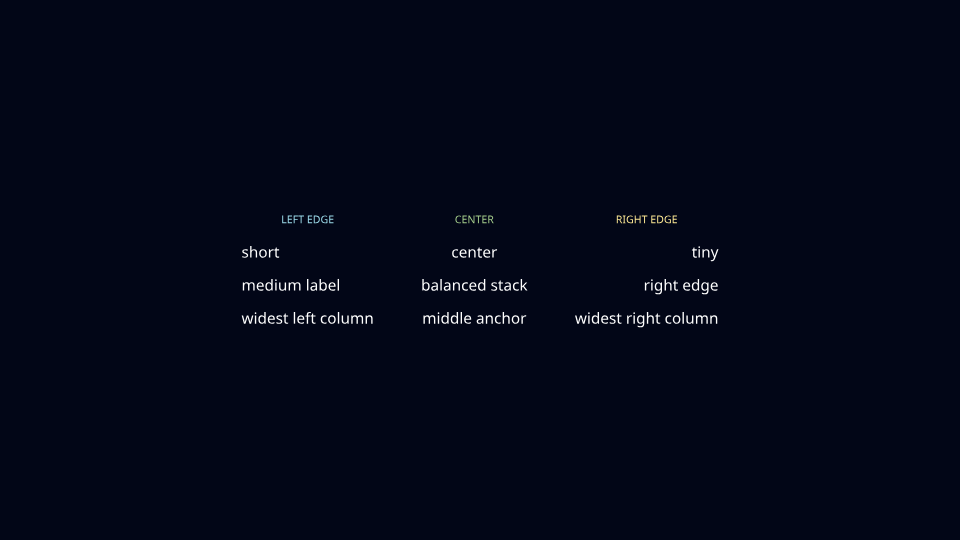
Stack Text, Tex, and MathTex together with shared left alignment.
scene = Scene(width=960, height=540, backgroundColor="#111827") plain = Text("Position", font_size=32, color=WHITE)math = MathTex(r"s=t^2", font_size=40, color=YELLOW)tex = Tex(r"constant\\ acceleration", font_size=32, color=BLUE_B) stack = VGroup(plain, math, tex).arrange(DOWN, aligned_edge=LEFT, buff=0.3)caption = Text( "Text, Tex, and MathTex can share one aligned stack", font_size=24, color=GREY_B,).next_to(stack, UP, buff=0.32) scene.add(caption, stack)scene.play(Write(plain), Write(tex), Write(math), run_time=1.6)scene.wait(0.6)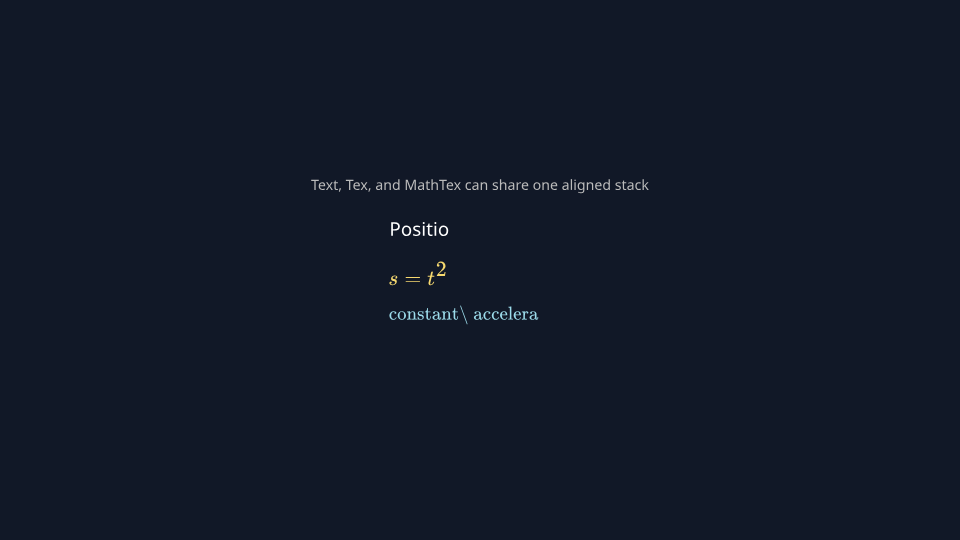
Use to_edge to pin text to the top, bottom, left, and right margins of the frame.
scene = Scene(width=960, height=540, backgroundColor="#020617") header = Text("Release Notes", font_size=34, color=YELLOW).to_edge(UP, buff=0.35)footer = Text("v1.4 preview build", font_size=20, color=GREY_B).to_edge(DOWN, buff=0.32)left_note = Text("Inputs", font_size=24, color=BLUE_B).to_edge(LEFT, buff=0.45)right_note = Text("Outputs", font_size=24, color=GREEN_B).to_edge(RIGHT, buff=0.45) divider = Line(LEFT * 3.1, RIGHT * 3.1, color=GREY_D).next_to(header, DOWN, buff=0.22)body = VGroup( Text("Parse script", font_size=26, color=WHITE), Text("Compile scene data", font_size=26, color=WHITE), Text("Render preview", font_size=26, color=WHITE),).arrange(DOWN, buff=0.24).move_to(ORIGIN) scene.add(header, divider, footer, left_note, right_note, body)scene.wait(0.8)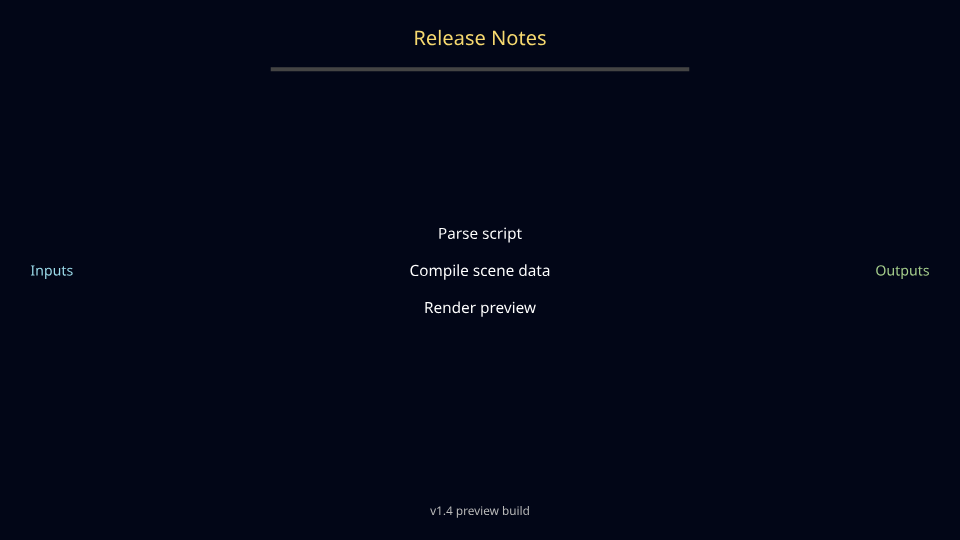
Pin status labels to the four corners with to_corner for overlays and dashboards.
scene = Scene(width=960, height=540, backgroundColor="#111827") core = RoundedRectangle( width=5.0, height=2.7, corner_radius=0.22, color=BLUE_D, fill_color="#0f172a", fill_opacity=0.95,)core_text = VGroup( Text("Simulation running", font_size=30, color=WHITE), Text("128 workers active", font_size=22, color=GREY_B),).arrange(DOWN, buff=0.18).move_to(core.get_center()) ul = Text("LIVE", font_size=18, color=GREEN_B).to_corner(UL, buff=0.35)ur = Text("GPU CLUSTER", font_size=18, color=BLUE_B).to_corner(UR, buff=0.35)dl = Text("latency 14ms", font_size=18, color=GREY_B).to_corner(DL, buff=0.35)dr = Text("throughput 5.2k/s", font_size=18, color=YELLOW_B).to_corner(DR, buff=0.35) scene.add(core, core_text, ul, ur, dl, dr)scene.wait(0.8)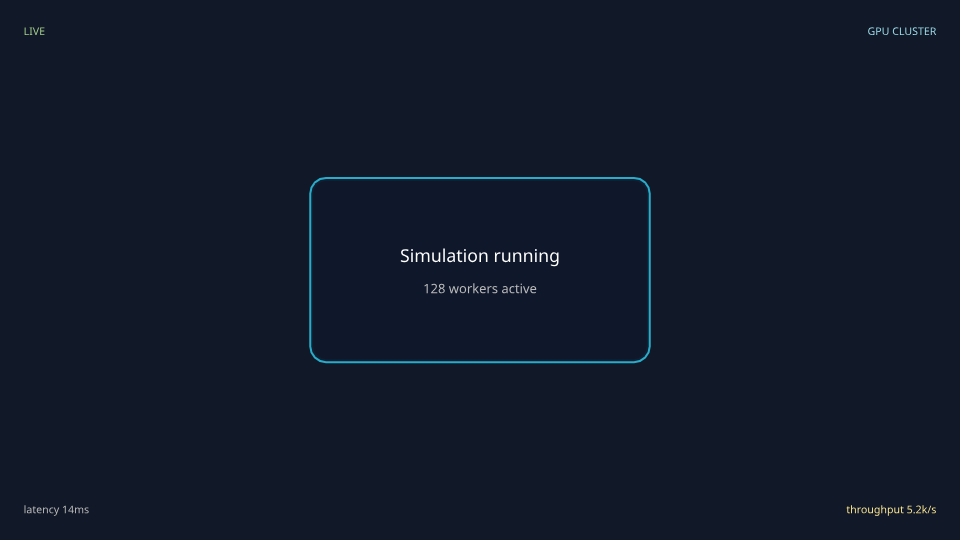
Use to_corner for quick corner tags, watermarks, and fixed frame labels.
scene = Scene(width=960, height=540, backgroundColor="#020617") ul = Text("UL", font_size=28, color=BLUE_B).to_corner(UL, buff=0.38)ur = Text("UR", font_size=28, color=GREEN_B).to_corner(UR, buff=0.38)dl = Text("DL", font_size=28, color=ORANGE).to_corner(DL, buff=0.38)dr = Text("DR", font_size=28, color=YELLOW_B).to_corner(DR, buff=0.38) center_note = Text( "Corner placement is useful for HUD tags, page labels, and watermarks", font_size=22, color=GREY_B,).move_to(ORIGIN) scene.add(ul, ur, dl, dr, center_note)scene.wait(0.8)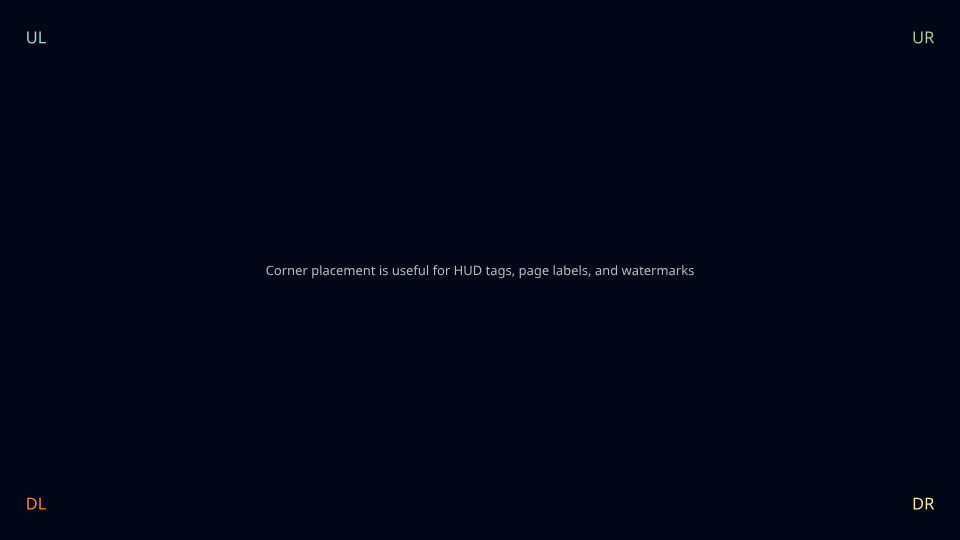
Combine to_edge, to_corner, next_to, and aligned VGroups for a real poster-style composition.
scene = Scene(width=960, height=540, backgroundColor="#0f172a") kicker = Text("CASE STUDY", font_size=18, color=BLUE_B).to_edge(UP, buff=0.42).align_to(LEFT * 6.2, LEFT)title = Text("Latency vs Throughput", font_size=44, color=WHITE).next_to(kicker, DOWN, buff=0.16).align_to(kicker, LEFT)subtitle = Text("How the same workload behaves on CPU and GPU", font_size=24, color=GREY_B).next_to(title, DOWN, buff=0.14).align_to(title, LEFT) metric_card = RoundedRectangle( width=2.55, height=2.1, corner_radius=0.2, color=TEAL_D, fill_color="#08111f", fill_opacity=0.96,).to_edge(RIGHT, buff=0.5).shift(UP * 0.15)metric_stack = VGroup( Text("Summary", font_size=22, color=TEAL_B), Text("CPU", font_size=18, color=WHITE), Text("low latency", font_size=18, color=GREY_B), Text("GPU", font_size=18, color=WHITE), Text("high throughput", font_size=18, color=GREY_B),).arrange(DOWN, aligned_edge=LEFT, buff=0.12).move_to(metric_card.get_center()) footer = Text("manim-web.dev", font_size=18, color=GREY_B).to_corner(DR, buff=0.35)page = Text("04", font_size=18, color=YELLOW_B).to_corner(DL, buff=0.35) scene.add(kicker, title, subtitle, metric_card, metric_stack, footer, page)scene.wait(0.8)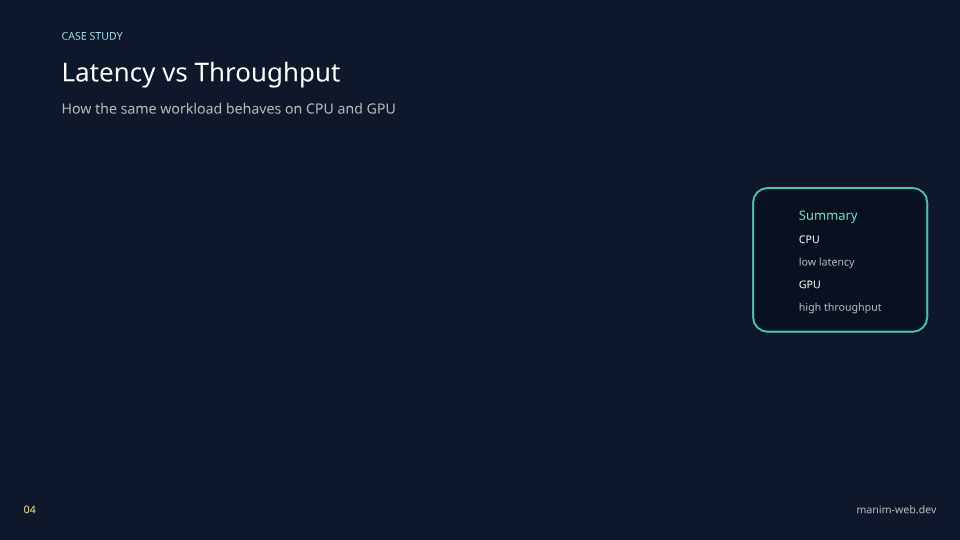
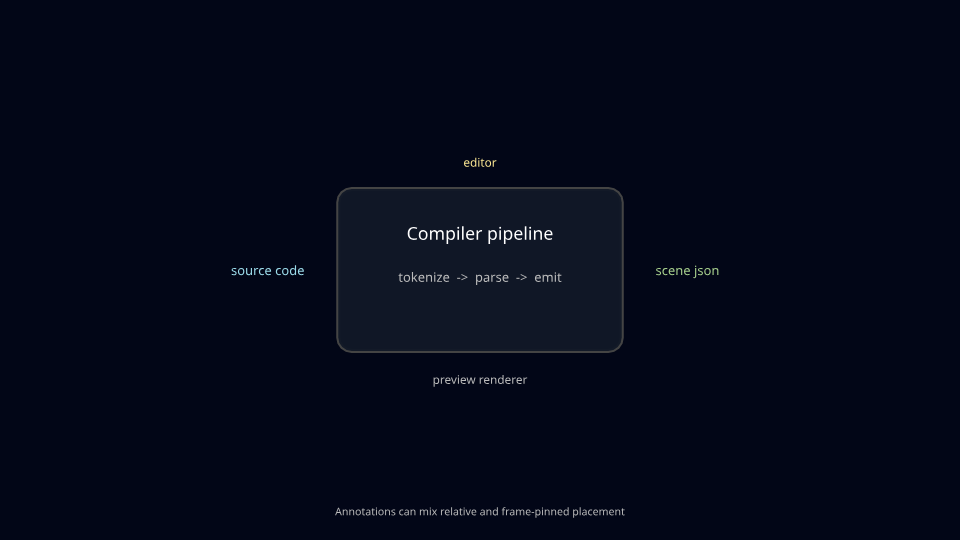
Attach labels to a central object with next_to while keeping outer notes pinned to the frame.
scene = Scene(width=960, height=540, backgroundColor="#020617") panel = RoundedRectangle( width=4.2, height=2.4, corner_radius=0.2, color=GREY_D, fill_color="#111827", fill_opacity=0.96,)panel_title = Text("Compiler pipeline", font_size=30, color=WHITE).move_to(panel.get_center() + UP * 0.55)panel_body = Text("tokenize -> parse -> emit", font_size=22, color=GREY_B).move_to(panel.get_center() + DOWN * 0.1) left_callout = Text("source code", font_size=22, color=BLUE_B).next_to(panel, LEFT, buff=0.5)right_callout = Text("scene json", font_size=22, color=GREEN_B).next_to(panel, RIGHT, buff=0.5)top_callout = Text("editor", font_size=20, color=YELLOW_B).next_to(panel, UP, buff=0.28)bottom_callout = Text("preview renderer", font_size=20, color=GREY_B).next_to(panel, DOWN, buff=0.3) frame_note = Text("Annotations can mix relative and frame-pinned placement", font_size=18, color=GREY_B).to_edge(DOWN, buff=0.32) scene.add(panel, panel_title, panel_body, left_callout, right_callout, top_callout, bottom_callout, frame_note)scene.wait(0.8)